
Maintenance labor is one of the highest ongoing costs for most maintenance departments. Wages, overtime, contractors, planning time, and inefficient use of available labor can add up quickly — especially when workloads are uneven, and there is a lot of emergency work.
In most cases, lowering maintenance labor costs does not mean reducing headcount. Heck, you would probably hire more people if there were qualified technicians around. No; the bigger opportunity is to use the labor you already have in a more efficient manner.
In this article, we will demonstrate how to calculate your maintenance labor costs on an example and show how Sockeye helps reduce labor spending through better workload balancing, labor-hour tracking, overtime visibility, and delay analysis.
QUICK TAKEAWAYS
- Total maintenance labor cost should include regular labor, overtime, benefits, contractor costs, and other employer-paid expenses.
- Better scheduling can reduce labor spending by leveling workloads. Same amount of work done, but significantly less overtime.
- Sockeye provides live labor utilization data, overtime warnings, and other information schedulers need to build and maintain balanced weekly schedules.
How to find out your maintenance labor cost?
Your maintenance labor cost is the total amount you spend on the people who plan, schedule, supervise, and perform maintenance work over a defined period. For most organizations, the best place to start is your CMMS or EAM system, supported by payroll or HR data where necessary.
In many CMMS and EAM platforms, you can find the relevant information in:
- Labor or employee records: Look for each employee’s labor rate, craft, skill, and assigned team.
- Work order actuals: Review the actual labor hours technicians record against completed work orders. IBM Maximo, for example, allows actual labor hours and costs to be recorded directly against work orders.
- Work order cost reports: Some EAM systems let you compare estimated and actual labor costs by work order, asset, or accounting period. Oracle EAM, for example, separates labor, material, and equipment costs and supports actual, estimated, and variance reporting.
- Labor cost or resource reports: Use these reports to aggregate labor hours and costs across a department, site, asset group, or reporting period.
- Payroll or timekeeping data: Use payroll records to verify actual wages, overtime, shift premiums, and other compensation that may not be fully represented in the CMMS.
We also recommend looking at maintenance labor cost from several different angles — like labor hours spent per work order, asset, maintenance type, and craft. This can help uncover if specific jobs or assets drive up labor costs.
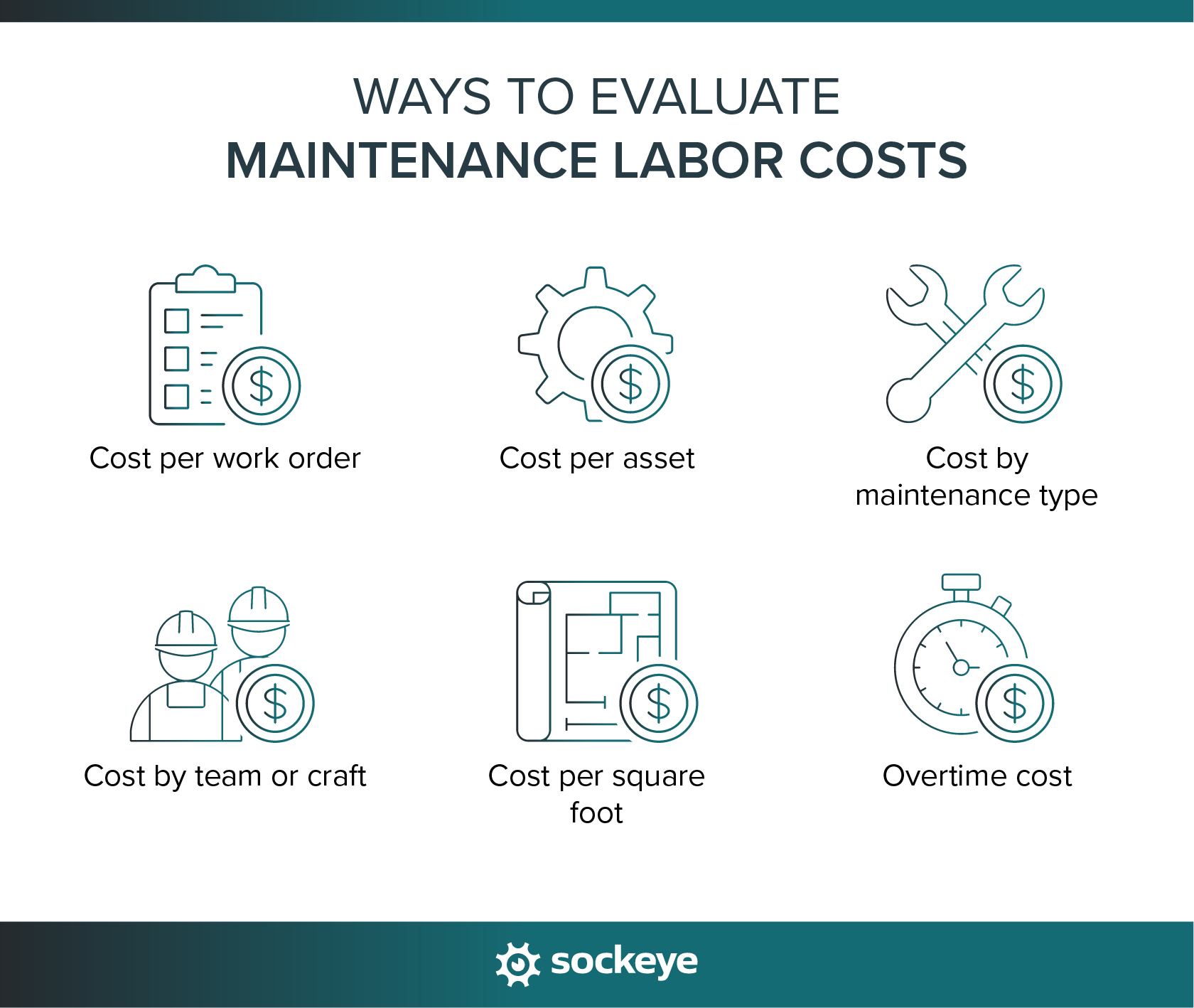
Maintenance labor cost calculation example
Consider a medium-sized pulp manufacturing plant with a maintenance team made up of technicians, electricians, mechanics, a planner, and a supervisor.
For this example, assume the plant is calculating its direct maintenance labor cost for one month using rounded hourly rates based loosely on the U.S. wage statistics data.
| Role | Number of employees | Regular hours per employee | Hourly rate | Regular labor cost |
|---|---|---|---|---|
| Maintenance technicians | 6 | 160 | $26 | $24,960 |
| Industrial mechanics | 4 | 160 | $33 | $21,120 |
| Electricians | 3 | 160 | $34 | $16,320 |
| Maintenance planner/scheduler | 1 | 160 | $30 | $4,800 |
| Maintenance supervisor | 1 | 160 | $41 | $6,560 |
| Total | 15 | $73,760 |
The plant’s regular monthly maintenance labor cost would therefore be $73,760 per month.
However, regular wages are only part of the total. Assume the plant also records the following overtime during the month:
| Role | Overtime hours | Overtime rate | Overtime cost |
|---|---|---|---|
| Maintenance technicians | 60 | $39.00 | $2,340 |
| Industrial mechanics | 80 | $49.50 | $3,960 |
| Electricians | 45 | $51.00 | $2,295 |
| Total | 185 | $8,595 |
The total direct maintenance labor cost becomes:
$73,760 regular labor + $8,595 overtime = $82,355 per month
Annualized, that would equal approximately:
$82,355 × 12 = $988,260 per year
This example does not include benefits, payroll taxes, contractor labor, shift premiums, retirement contributions, bonuses, or other employment costs. Adding those expenses would give the plant its fully loaded labor cost.
The calculation also shows why overtime should be monitored at the workweek level. In this example, it adds almost $8,600 in one month.
Not all overtime is avoidable. Shutdowns, emergency repairs, production requirements, and unexpected equipment failures can all require additional hours. But if some technicians are working overtime while other qualified employees still have available capacity, better workload balancing will reduce labor spending without reducing the amount of work completed.
That is one of the areas where maintenance scheduling has a direct impact on labor costs.
How Sockeye helps reduce maintenance labor spending
Sockeye is a small maintenance scheduling add-on that bolts onto your existing CMMS or EAM software to extend its scheduling functionality. Companies use it to speed up and simplify their work order scheduling processes. Click here to see how it works.
Sockeye helps maintenance teams control labor spending by giving planners and schedulers live labor availability, utilization, and overtime data while they build and adjust maintenance schedules.
Sidenote: Sockeye can pull labor availability from a CMMS/EAM or HR system, or teams can manage shift patterns and availability directly in Sockeye.
The goal is not simply to schedule more work. It is to use the labor hours you already have more effectively, catch avoidable overtime, and maintain accurate labor hours data for payroll, cost analysis, and reporting.
1. Balancing workloads with real-time labor utilization tracking
Sockeye shows scheduled labor utilization by crew in real time, giving schedulers an easy way to track which teams have spare capacity and which are overloaded.

For example, suppose one mechanical crew has enough scheduled work to push it 20 hours into overtime, while another qualified crew still has 30 hours of unused capacity. Instead of paying the first crew overtime, the scheduler may be able to reassign appropriate work to the second crew.
“Sockeye identifies where deficiencies are in your man hours, so you can level between crews. For instance, if Crew A is 40 hours over schedule, but Crew B is only 35% scheduled, you can move your resources to level it out to avoid overtime pay. That saves you money.”
Todd Hicks, Planning and Shutdown Superintendent AT THE AV GROUP
2. Improving the accuracy of labor-hour data
Labor cost reports are only as reliable as the logged hours behind them. Sockeye integrates with CMMS and HR systems so labor availability, scheduled hours, and work-order data can stay synchronized instead of being copied manually between spreadsheets and systems.
More reliable labor-hour data improves the downstream maintenance labor cost calculations that depend on it. Teams can use Sockeye data in CMMS records, payroll processes, KPI reports, and BI tools such as Microsoft Power BI to analyze where maintenance hours are being spent.
“Because Sockeye synchronizes the data directly from our CMMS, we know the information is valid and trustworthy. When our guys get to the stores, we know that the parts ordered have been activated. We can also trust the data in Sockeye for payroll. With just three keystrokes, we pay 75 people.”
Todd Hicks, Planning and Shutdown Superintendent AT THE AV GROUP
Sockeye’s built-in KPI reporting also lets users drill into the underlying work orders and hours used to calculate individual metrics, making it easier to verify the numbers before using them for labor-cost decisions.
3. Visual overtime warnings
Sockeye users get color-coded indicators that show when scheduled work exceeds available labor capacity — both at a team/craft level and individual level.
The warning appears as schedulers build or adjust the weekly schedule, so they can see potential overtime before the schedule is published. They can drag-and-drop work orders between teams and due dates and track how that affects overtime.
Sidenote: Sockeye only gives overtime warnings in the form of visual cues — it will not prevent you from scheduling overtime when it is necessary.
This gives maintenance teams a practical way to catch avoidable overtime during the scheduling process.
4. Work delay tracking
Sockeye lets technicians or schedulers select a Work Order Delay Reason when scheduled work does not get completed on time.
Codes come from a pre-populated dropdown list, can be customized to match your site’s terminology, and can be included in weekly schedule reports or sent to a BI platform for further analysis.
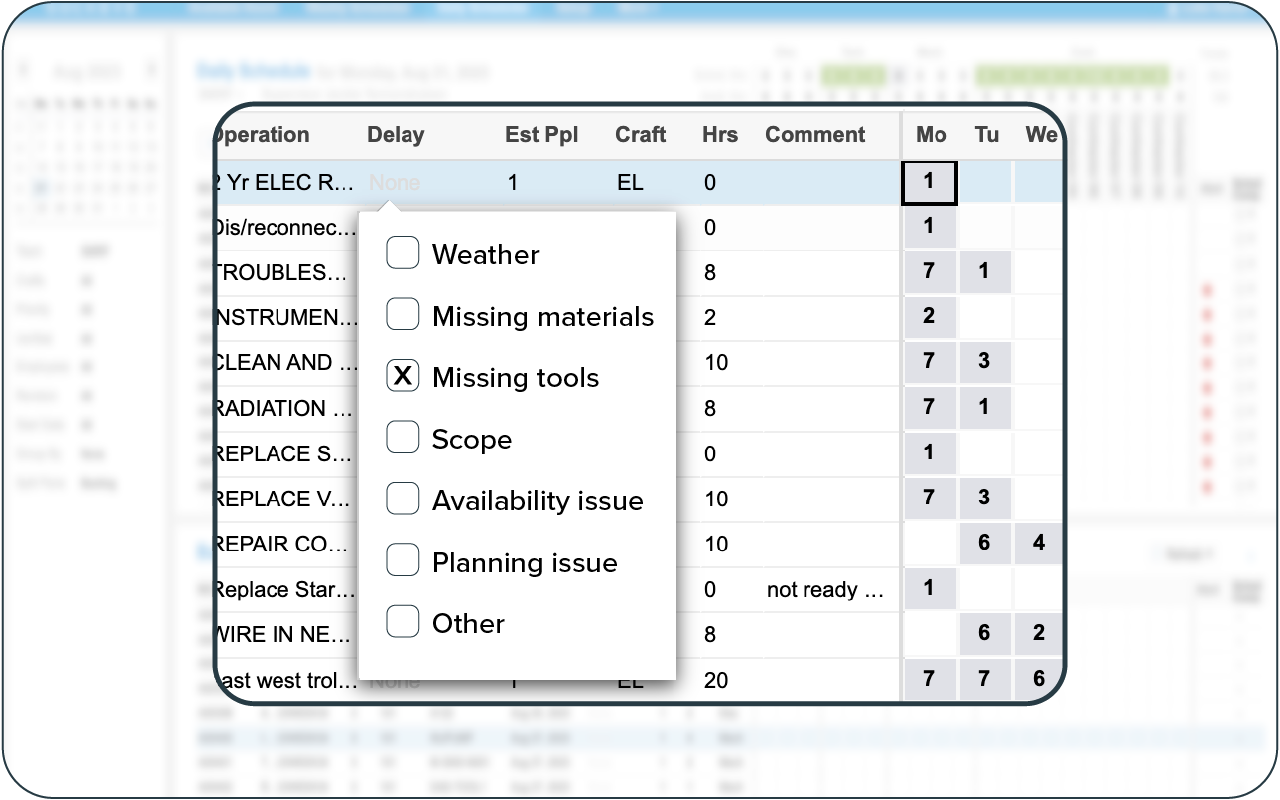
Over time, these delay codes help you identify recurring sources of wasted labor. Companies that implement Sockeye often discover one or more of the following problems:
- Missing parts or materials: Technicians lose productive time because required parts, tools, or materials were not available when the job was scheduled.
- Equipment not available: Maintenance labor was reserved, but operations could not release the asset at the scheduled time.
- Higher-priority emergency work: Planned jobs are repeatedly displaced by breakdowns or urgent corrective work.
- Incomplete job planning: Work is delayed because instructions, permits, tools, or other job requirements were not prepared in advance.
- Labor shortage or skill gap: The right technician or craft was not available when the work was scheduled.
They can then address the underlying issues — which often means creating a more efficient workflow that increases wrench time and reduces the percentage of paid labor hours that do not translate into value-adding maintenance work.
Can your maintenance team benefit from using Sockeye?
Sockeye is a good fit for maintenance teams that already have a CMMS or EAM but are not satisfied with how that system handles weekly scheduling, labor availability, workload balancing, and schedule changes.
Sockeye can be especially useful if your team:
- Still schedules in spreadsheets: Sockeye gives planners a dedicated scheduling workspace without requiring a full CMMS replacement.
- Struggles to see available labor: You can account for shifts, PTO, contractors, training, and other availability changes when building the schedule.
- Frequently reshuffles weekly schedules: Drag-and-drop scheduling makes it easier to move work when priorities, asset availability, or staffing change.
- Has uneven workloads or excessive overtime: Utilization and overtime visibility help schedulers identify opportunities to rebalance work before overtime is incurred.
- Lacks insight into why scheduled work is delayed: Delay tracking helps identify recurring problems that consume maintenance time and disrupt schedules.
For companies that otherwise like their CMMS or EAM, this add-on approach avoids a costly rip-and-replace project. You can keep the system your organization already depends on and add a purpose-built scheduling layer where the existing workflow falls short.
If you wonder how Sockeye would fit into your organization, let’s jump on a call. We can even arrange a free pilot project that requires no involvement from your IT team, but still helps prove the concept using your own data.
